The number of coffees an espresso machine can make per hour depends on the drinks being prepared and how output is measured. Read any stated cups-per-hour figure alongside its drink recipe, configuration and test conditions.
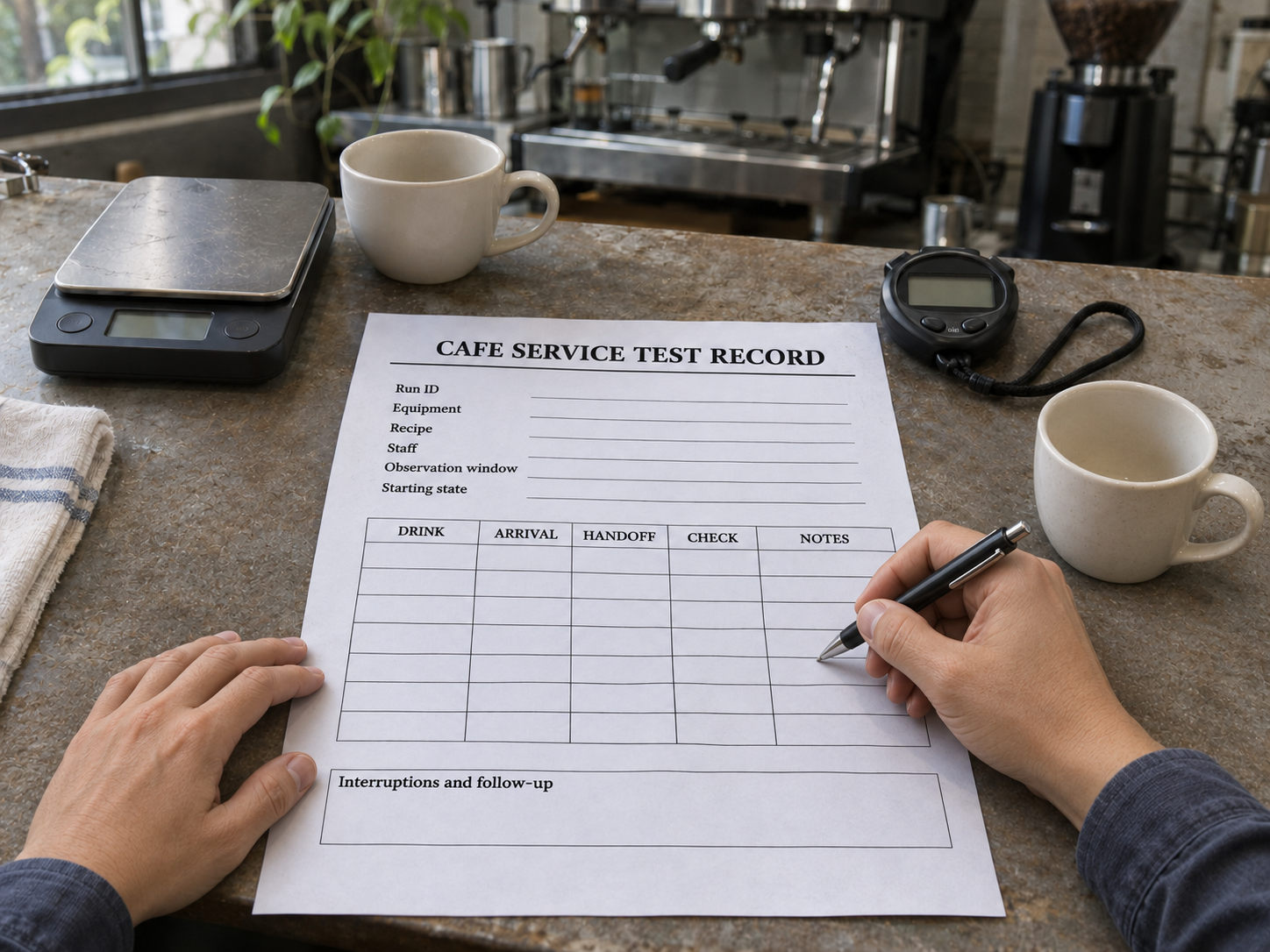
Before buying, ask for a demonstration using your proposed grinder, staffing and order sequence. Record the drinks handed over, whether they meet the agreed requirements, and how long each order takes. The three records below help you compare demonstrations and check whether a setup can handle your planned service.
1. What does “cups per hour” measure?
Start by asking what was counted, over what period, and under which conditions. A published equipment figure and a timed café service demonstration may cover different tasks.
| Measure | What to check |
|---|---|
| Cups per hour | Drink recipe, serving size, configuration, counting method and test duration. Check whether milk preparation and handoff are included. |
| Recommended daily output | The supplier’s stated usage recommendation and its operating or service assumptions. Keep this separate from a short demonstration result. |
| Grinder output | The measured ground-coffee mass and grinding time at a stated setting. Also record the complete dosing cycle, including preparation and required pauses. |
| Hopper, tank or boiler capacity | The quantity stored. These figures alone do not establish the number of finished drinks delivered in a period. |
For your service demonstration, count final drinks using a separate ID for each beverage. Record grinding cycles and extractions separately. Define how a double espresso or two cups from one extraction will appear in the log before starting.
2. Set up a repeatable pre-purchase workflow test
Choose an order sequence that resembles a busy part of your service. Use actual order records where available; label a proposed sequence as an assumption. Include arrival times so the demonstration reflects orders arriving together as well as quieter gaps.
A 15-minute observation window is one practical option. Agree its length, the drink requirements and the acceptable order-to-handoff time before the demonstration. Follow the operating and rest cycles in the instructions for the exact equipment being used.
For a controlled comparison, start with no unfinished drinks. If you want to reproduce an existing queue, list those opening drink IDs separately from new arrivals. Retain their original arrival times and the clock time corresponding to the test’s 00:00 in a separate pre-test record. If an opening drink’s arrival is unknown, mark its full waiting time as unavailable. Keep the starting arrangement consistent between runs.
Use the coffee shop equipment checklist to define the menu and equipment roles, then copy this conditions record.
| Field | Your record |
|---|---|
| Run ID, date and people | ____ / Operator(s): ____ / Observer: ____ |
| Equipment and configuration | Machine model/version: ____ / Grinder, burr configuration and settings: ____ |
| Site and layout | Confirmed supply and water arrangement: ____ / Counter layout and ingredient access: ____ |
| Recipes and serving sizes | Recipe IDs: ____ / Coffee and target dose/yield: ____ / Cup and milk quantities: ____ / Milk preparation method: ____ |
| Preparation and starting state | Warm-up and dial-in record: ____ / Ready-state check: ____ / Opening queue IDs and pre-test arrival record, if any: ____ |
| Workload and operating limits | Arrival sequence: ____ / Observation window: ____ / Staff roles: ____ / Required operating/rest cycles: ____ |
| Agreed acceptance criteria | Drink requirements and assessment method: ____ / Order-to-handoff target: ____ |
Choose the recipes and acceptance criteria for your own menu. When comparing grinders, dial each one in to the agreed recipe target; matching dial numbers across different grinders does not establish equivalent settings. Confirm the site and ordered electrical version using the voltage and plug guide.
3. Record every order, handoff and interruption
Set the elapsed timer to 00:00. Use mm:ss from the start of the test for new arrivals, work steps and handoffs. Reference the pre-test record for opening-queue arrivals; do not assign them 00:00. Put video timestamps in a separate column. An observer or continuous recording can help capture events while the operator concentrates on service.
Follow the agreed arrival sequence and normal preparation steps. Keep cleaning, refilling, required pauses and recovery waits in the record and the elapsed time. If you change a recipe, staffing arrangement or setting, note when it changed.
Use one row per ordered beverage, including separate rows for a multi-drink order. Keep failed attempts and remakes in the notes. Close the drink entry with its final handoff time and assessment: met requirements, did not meet requirements, or not assessed. If a remake changes the final handoff, retain the earlier attempt in the notes and count the drink once.
| Drink ID / arrival mm:ss | Drink / recipe ID | Final handoff mm:ss | Assessment / remake | Delay / interruption | Video mark |
|---|---|---|---|---|---|
| ____ | ____ | ____ | ____ | ____ | ____ |
| ____ | ____ | ____ | ____ | ____ | ____ |
| ____ | ____ | ____ | ____ | ____ | ____ |
Mark cancelled and unfinished drinks explicitly. Leave their final handoff and completed waiting time as unavailable, rather than entering zero. Keep drinks whose requirements were not assessed separate from those assessed as meeting them.
How to measure coffee grinder output
For selected doses, tare the receiving vessel on a suitable scale and weigh the grounds it receives. Record the actual ground-coffee mass in grams, the motor-on grinding time in seconds, and the complete dosing-cycle time. Define the cycle’s start and end before comparing grinders; include preparation, handling, cleaning and required pauses. Record the beans, recipe target and settings alongside the measurement.
For a measured g/s figure for that dose, divide the collected ground-coffee mass by the measured motor-on grinding time. Keep this rate separate from the complete dosing-cycle time.
Optional start/end times for grinding, extraction and milk preparation can show where staff or equipment wait. These steps may overlap, so adding their durations will not give the elapsed time for the whole order. Use the order’s arrival and final handoff to measure delivery time.
4. Compare the results and identify the bottleneck
At the observation cutoff, record the status of every drink. Then continue following the orders that arrived during the window until they are handed over or otherwise closed. Separate opening-queue drinks from new arrivals throughout the summary.
| Measure | Your record |
|---|---|
| Observation window and opening queue | Start/end mm:ss: ____ / Opening drink IDs: ____ |
| New drinks received during the window | Count and IDs: ____ / Cancellations listed separately: ____ |
| Final handoffs by the cutoff | Total: ____ / Met requirements: ____ / Did not meet: ____ / Not assessed: ____ Separate opening-queue and new-arrival results. |
| Open drinks at the cutoff | IDs and status: ____ / Later handoff or closure: ____ |
| Order-to-handoff times | Record each drink’s elapsed time: ____ / Comparison with the agreed target: ____ |
| Interruptions, remakes and changes | Events and timing: ____ / Changed conditions: ____ |
| Findings and further checks | Observed waits: ____ / Evidence: ____ / Questions to verify: ____ |
For a drink that meets the agreed requirements, its order-to-handoff time is its final handoff time minus arrival time. Read this alongside the cutoff count.
A completion percentage at one cutoff leaves that timing information out. Compare the individual delivery times, drink assessments and remaining queue before deciding whether the demonstration met your requirements.
Look for repeated waits around dosing, milk preparation, cleaning, ingredient access or handoff. Note the observed event before assigning a cause. For example, record the timing of an operator waiting to steam, then ask the supplier to explain the operating sequence. Our guide to boilers, thermoblocks and PID explains the heating terms behind that discussion.
Compare runs with the same recipes, arrival sequence, staffing and starting conditions. If you change the number of staff or the layout, identify the result as a different workflow arrangement. Keep the records from each run, including interruptions.
Report the result for the period observed. Completing a light order sequence may leave spare capacity; it establishes performance for that workload. Multiplying a 15-minute count by four gives an hourly equivalent of that short result, not a measured hour of sustained service.
5. Use the record to confirm your equipment requirements
Send the supplier the conditions record, drink log and results summary. Include the exact proposed configuration, the full order sequence and the questions still open. A continuous recording with matching timestamps makes it easier to review a disputed delay or remake.
Ask the supplier to explain any published output figure using its stated method and conditions. For formal order and sample records, continue with the first-order and sample checklist.
Once you have a workable equipment scope, use the café equipment payback guide and ITOP’s café payback calculator to examine the sales and cost assumptions. Keep the workload demonstrated and the sales you expect to achieve as separate planning inputs.
Share your menu, peak-period order sequence, staffing and site information with ITOP. The sales team can review the requirements, discuss configurations and identify what needs further confirmation.
Questions about espresso machine and grinder capacity
How many coffees can an espresso machine make per hour?
Ask for a documented output figure for the exact version, drink recipe, configuration and test method. If none is available, arrange a demonstration with the proposed grinder, staff and service tasks, then compare its results with your delivery targets.
Does a cups-per-hour figure include milk drinks?
Check its definition. Establish whether it covers espresso extraction, milk preparation or complete drinks handed over, and whether those tasks run together or in sequence.
Can I multiply a 15-minute result by four?
You can calculate a short-run hourly equivalent, but it remains an extrapolation. Keep the observed duration and conditions visible; longer operation needs its own supporting evidence.
Does finishing the order sequence prove maximum capacity?
It shows how the setup handled that sequence. A workload below the setup’s limits will not reveal its maximum output.
How should I compare grinder output for espresso service?
Use the same beans and recipe target, record actual dose mass and grinding time, and include the full dosing cycle and required pauses. Check how grinding affects the final drink handoff as well as the dose itself.