A coffee shop equipment checklist should cover brewing, grinding, water, cold storage, cleaning and service tools for your launch menu. The right quantities and configurations depend on your drink recipes, busiest service period, staff and premises.
Work from the menu to the workflow, then build a provisional equipment list. Check it against the site before confirming a quotation. This guide gives you a menu-to-equipment table and a planning record you can take to suppliers and installers.
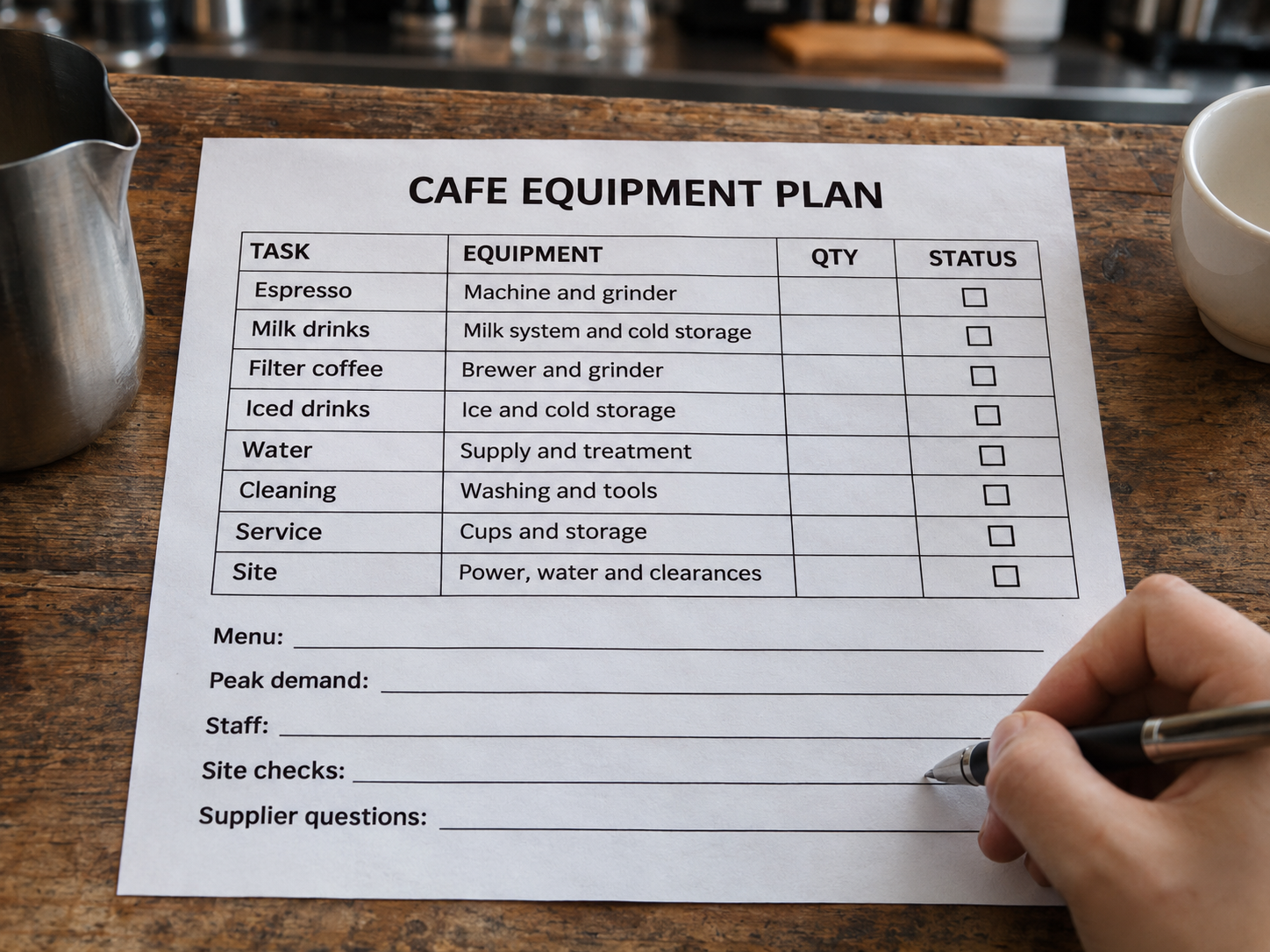
List each launch drink, serving size and preparation steps. Mark which drinks share equipment and which introduce another task. Adding blended drinks, for example, adds blending, ingredient storage and jug-cleaning work.
| Menu or operating choice | Equipment to assess | What to confirm |
|---|---|---|
| Espresso on a traditional machine | Espresso machine, suitable grinder, scales, preparation tools and knock box | Recipe, serving sizes, repeated-shot workflow, staffing and cleaning access |
| Milk-based espresso drinks | Espresso setup, integrated or separate milk heating/frothing equipment, milk refrigeration and pitchers | Milk preparation method, brewing and steaming sequence, milk access and pitcher turnaround |
| Filter or batch coffee | Chosen brewer, suitable grinder, filters, scales and serving vessels | Brew size, recipe, holding method and preparation schedule |
| Iced or blended drinks | Menu-appropriate ice supply, refrigeration and a blender where required | Ice storage and replenishment, ingredient access, jug cleaning and counter space |
| Coffee roasted on site | Roaster and its specified supporting installation | Space, utilities, exhaust, storage and responsibility for roasting |
Use the coffee machine range and coffee grinder range to start a shortlist. Confirm what an integrated system already provides before adding separate equipment. Check each proposed configuration against the menu and workflow; a category name alone does not establish suitability.
Record your expected busiest hour and busiest 15 minutes, the drink mix and the staff available. Include recipe details such as espresso portions per drink and milk quantities. Daily cup totals alone leave these workload questions unanswered.
Walk through grinding, dosing, extraction, milk preparation, finishing, handoff and cleaning. Identify where staff wait or cross paths. Ask for a repeated-drink demonstration close to your proposed recipes, drink mix and staffing. Record the conditions and any interruptions or recovery time.
Use the pre-purchase workflow test for a conditions record, a drink-by-drink log and a results summary.
To understand the heating terminology behind those questions, read our guide to boilers, thermoblocks and PID.
Give every item a job, a provisional quantity and a launch priority. Check these groups for omissions:
Mark items as “already available,” “needed for launch,” “optional” or “later expansion.” Leave quantities open where the workflow or site still needs checking. Assign a supplier and installer for each relevant line; some supporting items may come from other providers.
Roasting on site is a separate operating choice. If you buy roasted coffee, an on-site roaster is unnecessary. If you plan to roast, assess the roaster and its installation as a separate project.
Copy this record for each proposed item:
Menu or task served: ____
Equipment and proposed configuration: ____
Quantity and priority: ____
Workflow requirement: ____
Supplier information needed: ____
Site measurements or checks needed: ____
Provider / installer / person confirming: ____
Evidence or document version: ____
Confirmation status and open questions: ____
This is your planning list. Ask suppliers to identify the accessories included in their quotations and packing lists; a product photograph is not a confirmed packing list.
Put the shortlist onto a measured counter plan. Include operating clearance, filling and cleaning access, ingredient storage, staff movement and the route from taking an order to pickup.
Send photographs with the measurements. Keep the site's verified conditions separate from the equipment's requirements, then have the responsible supplier or installer confirm the match.
Before requesting pricing, prepare:
Keep supporting equipment, delivery and installation visible in the budget. Use the Estimate café payback entry on the ITOP homepage when you are ready to explore budget assumptions. A planning calculation does not establish demand or equipment capacity.
For wholesale, custom branding or sample evaluation, continue with the first-order and sample confirmation checklist. It covers the detailed quotation and sample records after you have defined the requirements.
Share the list with ITOP so the sales team can review the requirements, discuss configurations and identify what still needs confirmation.